
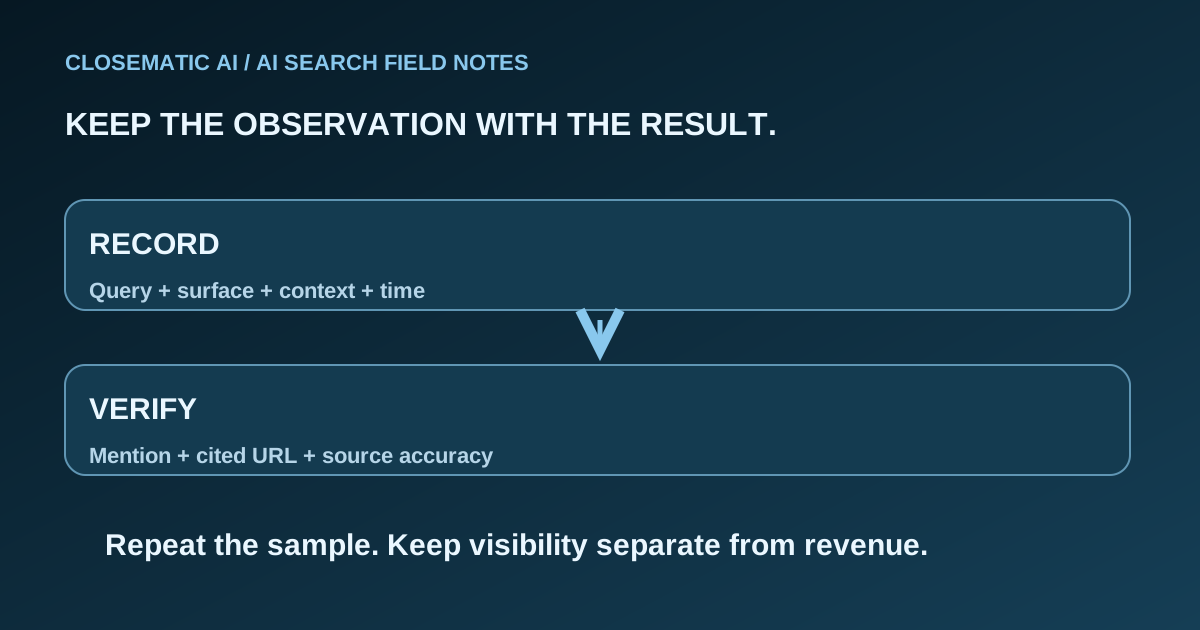
Define the claim before choosing the metric
A useful AI Overview visibility report answers a bounded question: did selected searches show the feature, and did the inspected responses mention or link to your business? It cannot describe every possible search or prove new sales from a citation. Define that boundary before collecting favorable examples.
Google includes traffic from its AI search features in Search Console’s Web reporting. Those totals are not a dedicated measure of your AI Overview appearances. Google’s AI measurement guidance
The protocol below is our proposed observation method, not a Google measurement standard or a Closematic feature specification. It gives a small team a repeatable evidence trail and makes missing information visible.
Start with a sentence such as: “We will inspect the same service-related questions under recorded conditions and compare the kinds of appearances we observe.” Avoid starting with “We will prove we dominate AI search.” The first sentence is testable; the second presumes a result and an undefined market.
Build a question set with separate groups
Choose questions that reflect different customer decisions, and record why each belongs in the sample. Use customer conversations or documented research where available. If you create a question as a test case, label it as an editorial test rather than measured search demand.
| Group | Illustrative question type | What it investigates |
|---|---|---|
| Understanding | How does this type of service work? | Informational discovery |
| Preparation | What should I do before the appointment? | Useful supporting guidance |
| Comparison | What should I compare when choosing a provider? | Decision criteria |
| Local provider search | Who provides this service in the relevant area? | Provider discovery |
| Branded | Does this named company offer the service? | Recognition and factual accuracy |
These are question types, not a dataset of real searches. Keep branded questions separate from non-branded discovery questions. Otherwise, repeatedly asking about your own company can inflate a report that appears to measure discovery among people who do not know you.
Assign each question an ID and retain its exact wording. If you add a new city, service or language, identify that addition as a new group. Do not compare two totals as though the question mix stayed constant when it did not.
Capture one complete evidence row per observation
Save enough context for someone else to understand what was inspected. A screenshot is helpful, but it should accompany the exact question and source URLs. A screenshot alone may hide the destination behind a label or omit a partially expanded source panel.
| Field | What to record |
|---|---|
| Observation ID | Unique reference connecting notes and evidence |
| Question | Exact text and question-group ID |
| Search surface | Google AI Overview or AI Mode, recorded separately |
| Context | Language, device, available location context and session state |
| Moment | Timestamp and time zone in the internal observation record |
| Completion | Inspected, or failed with a reason |
| Feature presence | Present, absent, or unknown because inspection failed |
| Business appearance | Mention, linked source, recommendation, or none observed |
| Source destination | Exact final URL and domain for each relevant link |
| Evidence | Saved response, screenshot or permitted response export |
| Notes | Ambiguity, incomplete view, changed conditions or correction needed |
Internal timestamps are essential for comparing observations; they are not a reason to add decorative dates to evergreen site copy. Remove customer data from shared evidence. Use business research questions, not private messages or customer account details, as test inputs.
Google notes that results can differ by time, place, device and recent search history. A recorded manual search therefore should not be expected to reproduce every person’s result. Search Console performance documentation
Read how AI Overview links work when deciding whether an appearance is a supporting link or an explicit recommendation. Keep the labels consistent throughout the sample.
Calculate rates with visible denominators
Report counts first, then optional rates. Show how many checks were attempted, completed, failed, displayed an AI Overview and included a qualifying link. A missing response should not silently become either a successful appearance or an observed absence in the final report.
Two different rates can both be useful:
- Citation rate across inspected searches: Inspected searches with an AI Overview link to your domain, divided by all inspected searches.
- Citation rate when the feature appeared: Inspected searches with that link, divided by inspected searches that displayed an AI Overview.
The second rate answers a narrower question. Do not publish it alone under a broad label such as “share of Google visibility.” Neither rate measures search volume, population reach or market share.
Consider a deliberately hypothetical worksheet: ten attempted checks, eight inspected, five showing the feature and two containing a link to your domain. The first rate is two out of eight; the second is two out of five. Two failed checks remain reported as failures. These numbers illustrate arithmetic only and are not Closematic or customer results.
Use one response as the counting unit for those rates. If that response contains several pages from your site, retain all URLs in the evidence but count the response once. If there are no inspected responses, report the rate as unavailable. If none displays the feature, the second rate is not applicable, rather than zero divided by zero.
Read Search Console alongside the sample
Use Search Console to investigate broader website search performance, while retaining the observation log for the narrower AI question. Match date ranges, relevant pages and query groups where possible. Do not relabel the entire Web report as AI traffic to make the sources appear to agree.
Google counts an external link click from an AI Overview as a click. Its links share the position assigned to the overview; standard impression rules apply. For AI Mode, a follow-up question is treated as a new query. Google’s metric definitions
These definitions make “average position” especially easy to misread. It does not tell you that a particular supporting link occupied a preferred slot inside an answer. Nor does a click by itself prove the visitor submitted a relevant inquiry.
Search Console can group data by pages, queries, countries and devices. Record the chosen filters with the report so a later comparison uses the same scope. Performance report setup
Business Profile activity is another separate source. The Business Profile metrics guide explains why profile interactions should not be substituted for website or AI observations.
Compare changes without manufacturing certainty
Keep the original question set and collection method stable for a comparison. Record content edits, service changes and collection failures. If the method changes, mark the break in the series before interpreting an increase or decline as a change in business visibility.
A practical review has four lines:
- Observed: What changed within the defined sample?
- Context: Which questions, conditions or collection steps also changed?
- Limitation: What cannot be inferred from the available evidence?
- Action: Which factual or technical issue deserves attention next?
If a new guide receives a citation after publication, record both events. That sequence alone does not prove the guide caused a wider change in visibility or revenue. Other search and business conditions may also have changed.
Use the AEO checklist for a verifiable correction such as an inaccurate service statement or inaccessible public page. Do not repeatedly change accurate business details merely because a small sample fluctuated.
Evaluate a monitoring tool with this protocol
Ask a vendor to reproduce one result from its original question through the saved response to the linked URL. Then inspect a failed collection and a response with no mention. How the tool handles those cases matters as much as its most impressive screenshot.
The AI visibility software evaluation guide turns those questions into a buying checklist. Do not assume Closematic or another provider includes every measure in this article without checking the demonstrated product scope.
For the broader workflow, review Closematic AI’s AEO approach. Choose software around the work you can verify, and keep reporting language proportionate to the evidence.
Before presenting a visibility result
- Show the question set and selection method.
- Separate surfaces and branded questions.
- Keep failed checks in the report.
- Verify exact destination URLs.
- Label every rate and denominator.
- Distinguish sample observations from aggregate search traffic.
- Separate visits, inquiries and sales from citations.
- State what the result does not establish.
