
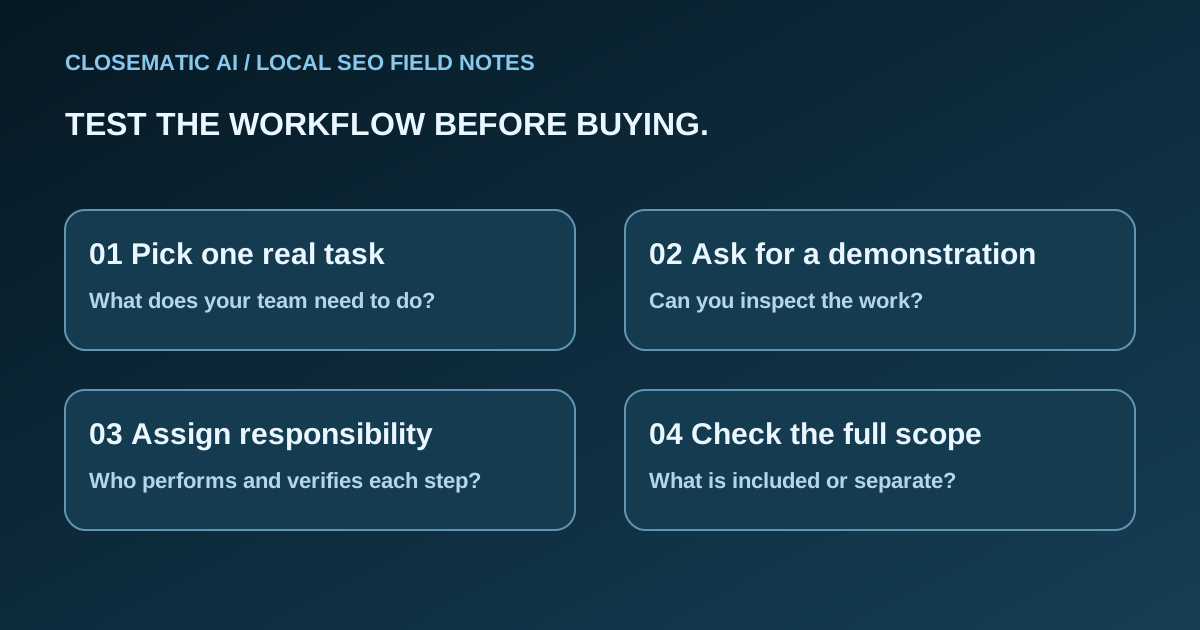
Write your job list before you compare products
A long feature list can hide a basic mismatch: the product may help with tasks your team already handles while leaving your main problem untouched. Start with work you actually need to complete, then ask each vendor to show that work.
Write three current tasks in plain language. Examples might be keeping business details current, replying to reviews and keeping track of incoming inquiries. These are example tasks, not a claim that every local business needs the same workflow. Add the person who currently handles each task and what makes it difficult.
If you are still separating software from the broader discipline, read what local SEO software can and cannot do. Then bring a short job list to the demo instead of asking only whether the product “does SEO.”
Use the same worksheet for every option
The table below is a buyer’s working document, not a vendor ranking. Fill it with evidence from the product, documentation and written offer. Leave an unanswered cell marked “not verified” rather than treating a salesperson’s general description as a completed check.
| Decision | Question to ask | Useful evidence |
|---|---|---|
| Task fit | Can I complete my actual task here? | A walkthrough of that workflow |
| Responsibility | Who prepares, approves and performs the work? | A named role for each step |
| Setup | What must I provide before starting? | A setup checklist and access requirements |
| Reporting | What does each number measure? | Data source, definition and reporting period |
| Control | What happens to access when I leave? | Written ownership and exit information |
| Cost | What is included and what is separate? | The plan, recurring terms and exclusions |
Choose an acceptance check for each priority task. For a review reply, the check could be locating the review, preparing the response and confirming where that response appears. For an inquiry, it might be finding the correct conversation and recording the next action. These checks test the workflow; they do not prove future leads or rankings.
Ask for one complete workflow
During a feature tour, follow one task from input to finished output and identify each decision along the way. Ask where you can inspect the result and what still requires your action. Use fictitious information or approved demonstration data rather than exposing private customer details.
For each step, ask:
- What information must I enter or connect?
- Does the software suggest an action or perform it?
- Where can I review the output?
- What happens if the connection fails or the information is rejected?
- Which parts require a person outside the software?
An incomplete demonstration is an unanswered question, not automatic evidence of a defect. Record the missing step and request documentation before relying on it. A screenshot can establish that a screen exists; it cannot establish the entire workflow behind it.
Check how much of the work remains yours
“Automated” is not a useful scope description on its own. Ask which action starts the process, what the software produces and what you still need to approve. Separate preparation, execution and verification in your notes.
The same distinction applies to support. Help understanding a setting is different from a provider performing ongoing marketing work. For a service proposal, ask for the deliverables and responsible people. For software, identify who in your business will configure and operate it. Our cost and responsibility guide turns those differences into a budget worksheet.
Verify control of your business information
Do not wait until cancellation to ask who controls the assets. Record which account owns the profile, domain, website and other services involved. Ask how you grant access and how that access ends. A shared password should not be your default handoff plan.
Google’s Business Profile third-party policies require clients to retain ownership or co-ownership of their profiles. They also prohibit guarantees of top placement and require transparency about management fees. Use that guidance when evaluating anyone who manages your profile on your behalf.
Other assets need their own answers. Do not assume a profile ownership rule explains website portability, domain renewal or data exports. Ask the provider about each item and keep the answer with the offer. If export or transfer is essential to your decision, verify it specifically rather than inferring it from a broad “you own your data” statement.
Inspect reports before accepting outcome claims
A report should help you make a decision, not simply display a larger number. Ask where a metric comes from, which period it covers and which business action it represents. A visibility observation, an inquiry and a completed job belong in different parts of your evaluation.
For instance, Google defines a Business Profile call metric as clicks on the call button. That is not the same as a verified sale. When a vendor presents a total, ask to see its components before interpreting it as revenue or customer growth.
Use the Business Profile performance guide to prepare questions about the report. For AI-related features, use the AI visibility software evaluation guide to ask which experience is covered, what was actually observed and what remains unknown. A claim about Maps should not silently become a claim about ChatGPT or Claude recommendations.
Where Closematic AI fits in the comparison
Closematic AI is an automated local SEO, AEO and GEO service with its own software platform: our system and team do the work for you. You do a simple self-setup; then our system and team work on your Google Business Profile, reviews, website and AI search every month. Lily, your assistant on WhatsApp or Slack in The New Google & AIs plan, helps you, the business owner. She does not reply to your customers.
Use the platform demonstration to evaluate that scope against your tasks. Ask about a specific integration or workflow if your purchase depends on it; do not assume that a broad category such as CRM means every existing tool will connect.
The New Google plan is US$97 per month, and The New Google & AIs plan is US$247 per month. Check pricing for the complete offer and subscription and refund terms for cancellation details. Buying software does not purchase a guaranteed position or an AI recommendation.
Before-you-buy checklist
Complete your comparison when the priority workflows, responsibilities, costs and remaining questions are written down. Resolve a critical unknown before purchase rather than compensating for it with a longer feature list. Use the questions below to decide whether the product fits work your business can actually operate.
- Which three tasks matter most to your business?
- Which tasks were demonstrated and which remain unverified?
- Who will configure, operate and review the work?
- What information and access will you need to supply?
- Can you explain the report without changing what its metrics mean?
- Are recurring charges, separate costs and exit arrangements written down?
Choose the option that fits work you can actually operate. If a critical answer is missing, resolve that specific question before paying. More features do not compensate for an unclear responsibility that your business depends on.
